 Posted by
Introduction
Building modern cloud applications often requires exposing backend logic through APIs. One of the most popular serverless architectures in AWS combines API Gateway and AWS Lambda.
Understanding the Architecture
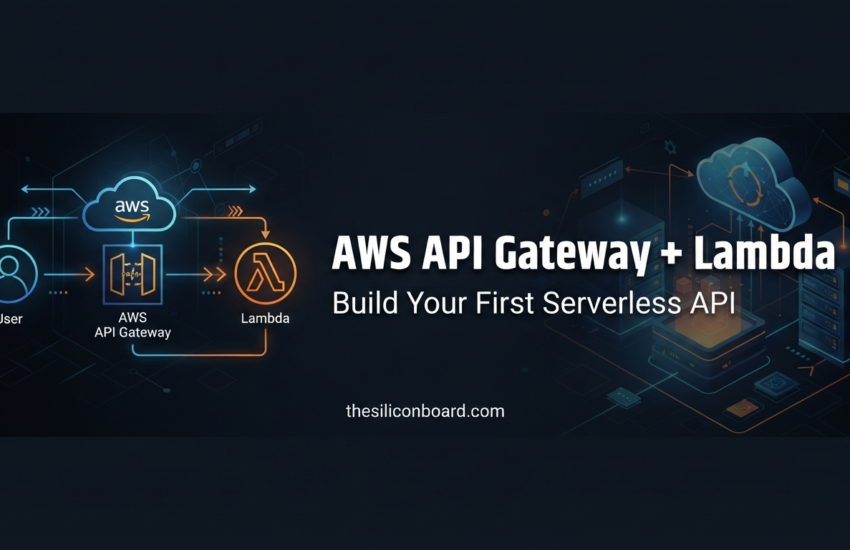
Before starting, let’s understand the request flow.
Client (Postman / Bruno)

↓

AWS API Gateway

↓

AWS Lambda

↓

Response Back to Client
In this architecture:
- API Gateway receives the request.
- API Gateway forwards the request to Lambda.
- Lambda processes the business logic.
- Lambda sends the response back through API Gateway.
Why Use API Gateway with Lambda?
AWS Lambda handles backend processing without managing servers.
API Gateway acts as the public entry point that allows applications, websites, and users to invoke Lambda functions using HTTP requests.
Benefits include:
✅ Serverless architecture
✅ Scalability
✅ Reduced infrastructure management
✅ Pay-per-use pricing
✅ Easy integration with AWS services
Step 1: Create an AWS Lambda Function
Navigate to:
AWS Console → Lambda → Create Function
Choose:
Author from Scratch
Configure:
| Setting | Value |
|---|---|
| Function Name | my-lambda-for-api-test |
| Runtime | Python |
| Execution Role | Existing IAM Role |
Instead of creating a new role for every Lambda function, it’s often better to reuse a properly configured execution role.
Lambda Function Logic
The Lambda function in this example accepts two values:
- first_name
- salary
The function validates:
- Required fields are present.
- Salary is a numeric value.
- Salary is greater than the minimum threshold.
Validation Example
If fields are missing:
{

"message": "Validation failed"

}
If salary is invalid:
{

"message": "Salary must be a valid number"

}
If everything is valid:
{

"message": "Validation successful"

}
Testing the Lambda Function
Before connecting API Gateway, always test Lambda separately.
Create a test event such as:
{

"body": "{\"first_name\":\"John\",\"salary\":\"1500\"}"

}
Notice the structure carefully.
The input is passed inside the body parameter.
This format becomes important when working with Lambda Proxy Integration.
Understanding Lambda Proxy Integration
One of the most important concepts in API Gateway is:
Lambda Proxy Integration
With proxy integration enabled:
API Gateway

↓

Raw Request

↓

Lambda
API Gateway forwards the complete request to Lambda without modifying it.
This allows Lambda to receive:
- Request body
- Headers
- Path parameters
- Query parameters
Exactly as they arrive.
Step 2: Create an API Gateway API
Navigate to:
Choose:
REST API
Click:
Build
Then create a new API.
Example:
My First API
Step 3: Create a Resource
Resources represent API paths.
Example:
/returnUserData
This becomes your API endpoint.
Step 4: Create a POST Method
Under the resource:
/returnUserData
Create:
POST
method.
Select:
Lambda Function
as the integration type.
Then choose your Lambda function.
Enable Lambda Proxy Integration
Enable:
Lambda Proxy Integration
This allows requests to pass directly from API Gateway to Lambda.
Without this setting, request transformations must be handled manually.
Step 5: Deploy the API
At this stage:
✅ API Gateway exists
✅ Lambda is connected
✅ Method is configured
But the API is still not accessible.
Deploy the API.
Create a stage:
test
Then click:
Deploy
After deployment, AWS generates an:
Invoke URL
This is the URL clients use to access your API.
Step 6: Test the API
You can use:
- Postman
- Bruno
- Python Requests Library
In the tutorial, Bruno was used because it is:
✅ Free
✅ Open Source
✅ Lightweight
✅ Cross-platform
Configure:
Method: POST
Paste the Invoke URL.
Send payload:
{

"first_name": "Pallab",

"salary": "12345"

}
Expected Response
If validation succeeds:
{

"message": "Validation successful",

"processed_user": "Pallab",

"approved_salary": 12345

}
This confirms is working successfully.
✅ Client → API Gateway
✅ API Gateway → Lambda
✅ Lambda → Client Response
Key Takeaways
Before integrating API Gateway with Lambda, remember:
✅ Create and test Lambda first
✅ Validate request payloads
✅ Use Lambda Proxy Integration
✅ Create resources and methods
✅ Deploy API before testing
✅ Use Invoke URL for external access
🎥 Watch the Complete Video Tutorial
Prefer learning visually?
Watch the complete hands-on tutorial on YouTube:
Final Thoughts
AWS API Gateway and Lambda form one of the most powerful serverless combinations in AWS. By separating API management from backend logic, developers can build scalable applications with minimal infrastructure management.